How to Set up Apple CarPlay® & Android Auto™
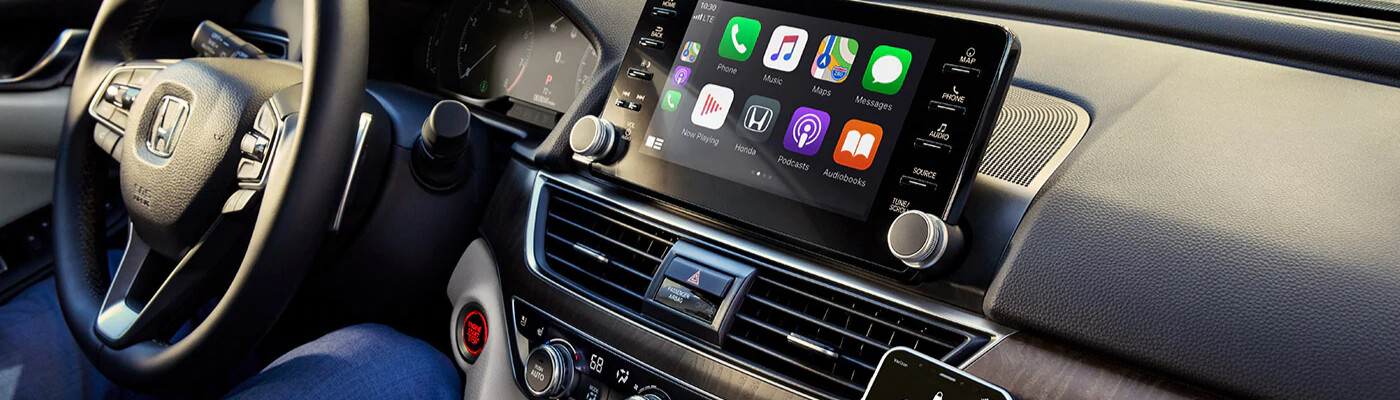
When Carmel drivers get a new Honda, one of the first things they do is sync up their smartphones. But, what if you don’t know how to set up Apple CarPlay® in Honda cars? What if you don’t know how to use Android Auto™ wireless? We’re here to help at Victory Honda of Muncie. Read our guides for both the Apple CarPlay® and Android Auto™ systems below, and get your car connected for the long road ahead!
How to Set Up Apple CarPlay® In Your Honda Car
Apple CarPlay® is one of the most popular features for Anderson and Fishers drivers, and learning how to set up Apple CarPlay® in your Honda takes only a few minutes of your time. If you have a USB cord on hand, you can simply connect the car and the phone through the USB port labeled with a CarPlay icon. If you want to connect wirelessly, follow these steps:
- Find “Settings” on your iOS device.
- Click “General” and then “CarPlay”.
- If you haven’t turned on Bluetooth®, you’ll be prompted to do so at the CarPlay settings screen.
- Select “Enable Wireless CarPlay”.
- Press and hold the voice button on your steering wheel or select the pairing option on your stereo menu. This will start the wireless pairing process.
- Now your phone and car are connected!
How to Use Android Auto™ Wireless
If you want to learn how to use Android Auto™ without a USB cord, it’s time to read up on just how to use Android Auto™ wireless. Luckily, the steps are just as simple as learning how to set up Apple CarPlay® in a Honda. You’ll need a compatible head unit, or car radio, that is capable of running Android Auto™ with Wi-Fi. You’ll also need an Android phone running Android 8.0 or newer. Then, start the process:
- Grab your USB cable to set up Android Auto™ for the first time. In the future, you will not need to use a cord at all.
- Follow the on-screen prompts on your touchscreen display to complete the initial setup procedure.
- Disconnect your USB cable and place it to the side.
- The next time you get in your car, Android Auto™ Wireless will automatically link your phone to your car radio.
Explore Honda Features with Victory Honda of Muncie
Want to learn more about Honda technology? Feel free to contact us with any questions, and we’d be happy to help you. And if you want to explore the best of Honda’s high-tech features up close, visit our showroom in Muncie. The team at Victory Honda of Muncie can walk you through the latest amenities when we get you behind the wheel of models like the Honda Civic and Honda CR-V.
More from Victory Honda of Muncie
Your vehicle’s brake system is one of its most important safety features. Whether you’re commuting to work, taking a road trip, or running errands around town, reliable brakes help keep you, your passengers, and everyone else on the road safe. While brake components are built to last, they do wear down over time. Recognizing the…
Read More
Buying a new vehicle in the next few years could come with an additional tax benefit. Under a provision of the One Big Beautiful Bill Act, eligible taxpayers may be able to deduct up to $10,000 in qualifying vehicle loan interest each year for tax years 2025 through 2028. Unlike many tax deductions that require…
Read More
September is National Preparedness Month, making it the perfect time to think beyond routine vehicle maintenance and prepare for the unexpected. Whether you’re commuting to work, taking the kids to school, or heading out on a road trip, having a well-stocked emergency kit in your vehicle can make a big difference if you encounter a…
Read More